In short: start from what you need, not from what other editors charge. Add what you want to take home each month to what the work costs you (software, computer, internet, music), and divide by the hours you can bill, which is only part of your working week. Multiply that hourly floor by the hours a video takes you, add a buffer for slow months, and you have your price per video. Charge per video or per month rather than per hour, and write down what each price includes.
Why copying someone else's rate doesn't work
Another editor's rate is built on their speed, their costs, their clients and their portfolio. If they edit a reel in two hours and you take five, the same price pays you less than half as much per hour. That's why the number has to come from your own week.
Two real reference points help. Indeed India puts the average salary of an employed video editor at ₹18,694 a month (May 2026), which is roughly what a job would pay instead. And my studio's published plans start at ₹15,000 a month for 8 reels, which works out to ₹1,875 a reel, including hooks, captions, B-roll and two rounds of revisions. A freelancer's rate usually sits somewhere around or between those, depending on skill and speed. If you are on the buying side, the client view of the same numbers is in video editing charges in India.
The formula
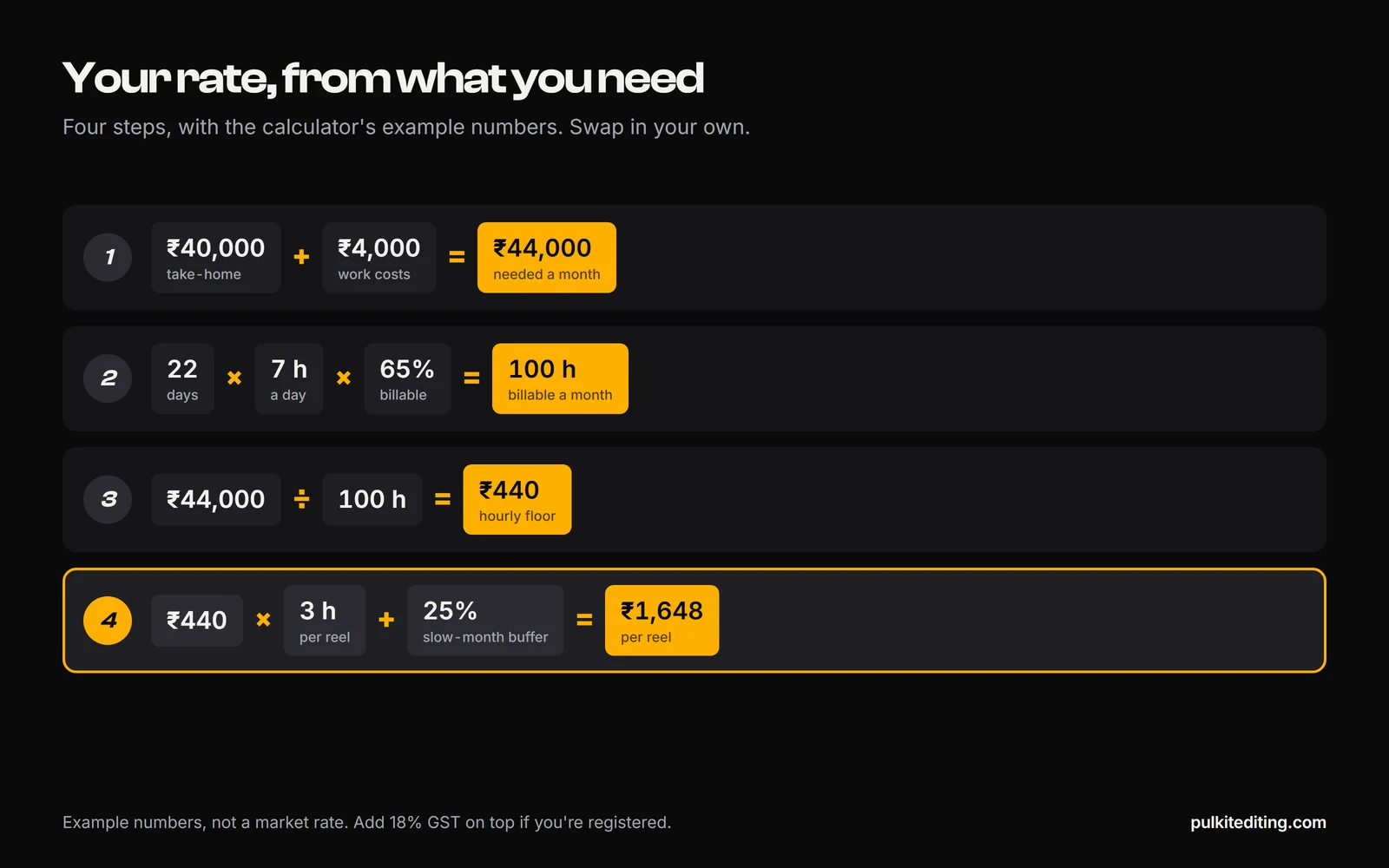
- What you need each month = the take-home amount you want + your monthly work costs.
- Billable hours = working days × hours a day × the share of that time spent on paid editing.
- Hourly floor = what you need ÷ billable hours.
- Price per video = hourly floor × hours the video takes, plus a buffer for slow months.
The billable share is the step people skip. Messages, calls, revisions, invoices and finding the next client all take time nobody pays for. If you count every working hour as billable, your rate comes out too low.
Work out your own rate
Change the numbers to your own. Everything is calculated in your browser; nothing is sent anywhere.
Billable hours a month100
Your hourly floor₹440
Floor price per video₹1,319
Price per video with buffer₹1,648
Monthly plan for that client₹13,187
If you are registered for GST, add 18% on top of these prices.
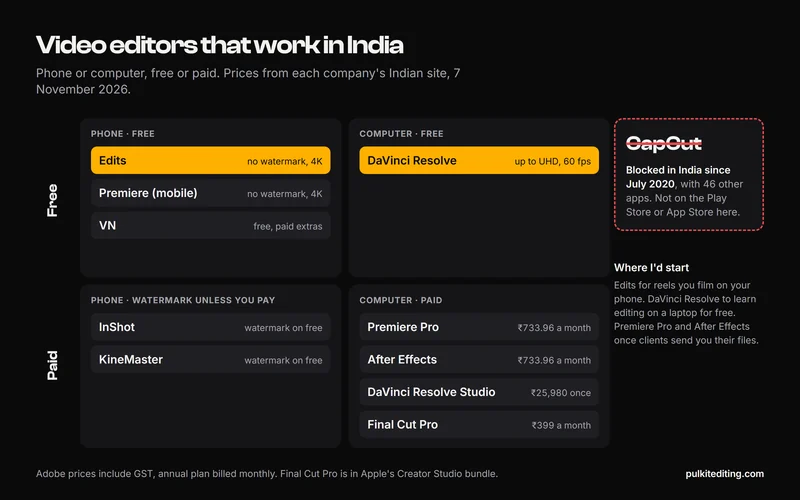
The default numbers are an example, not a market rate: ₹40,000 take-home, ₹4,000 of costs (an Adobe Premiere plan was ₹733.96 a month in November 2026, plus internet, music, storage and saving towards your next computer), 22 days of 7 hours with 65% billable, and 3 hours per reel. That gives about ₹440 an hour and about ₹1,650 a reel with the buffer.
Per video, per minute, per hour or per month?
| Charge | Works for | The problem |
|---|---|---|
| Per hour | Open-ended fixes and support work | Clients watch the meter, and getting faster earns you less |
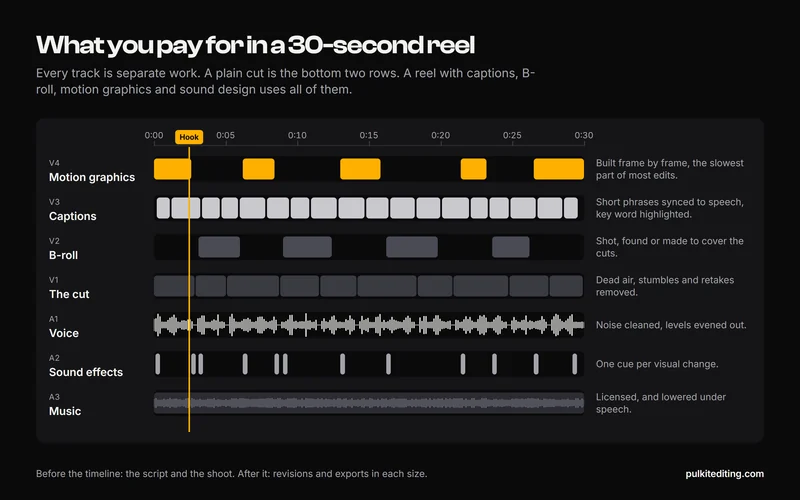
| Per finished minute | Long videos with simple cuts: podcasts, interviews | Breaks on short-form, where a 30-second reel with motion graphics can take longer than ten minutes of plain cuts |
| Per video | Reels, ads and short-form | Needs clear tiers, or every reel becomes "the simple kind" |
| Per month | Clients who post every week | Define the number of videos and the turnaround, or the month fills up |
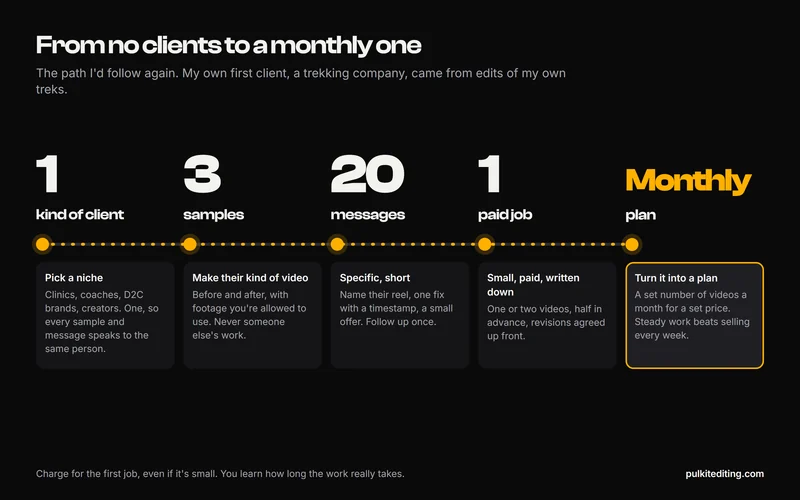
For short-form I price per video, and offer a monthly plan once a client wants a steady flow.
Build a simple rate card
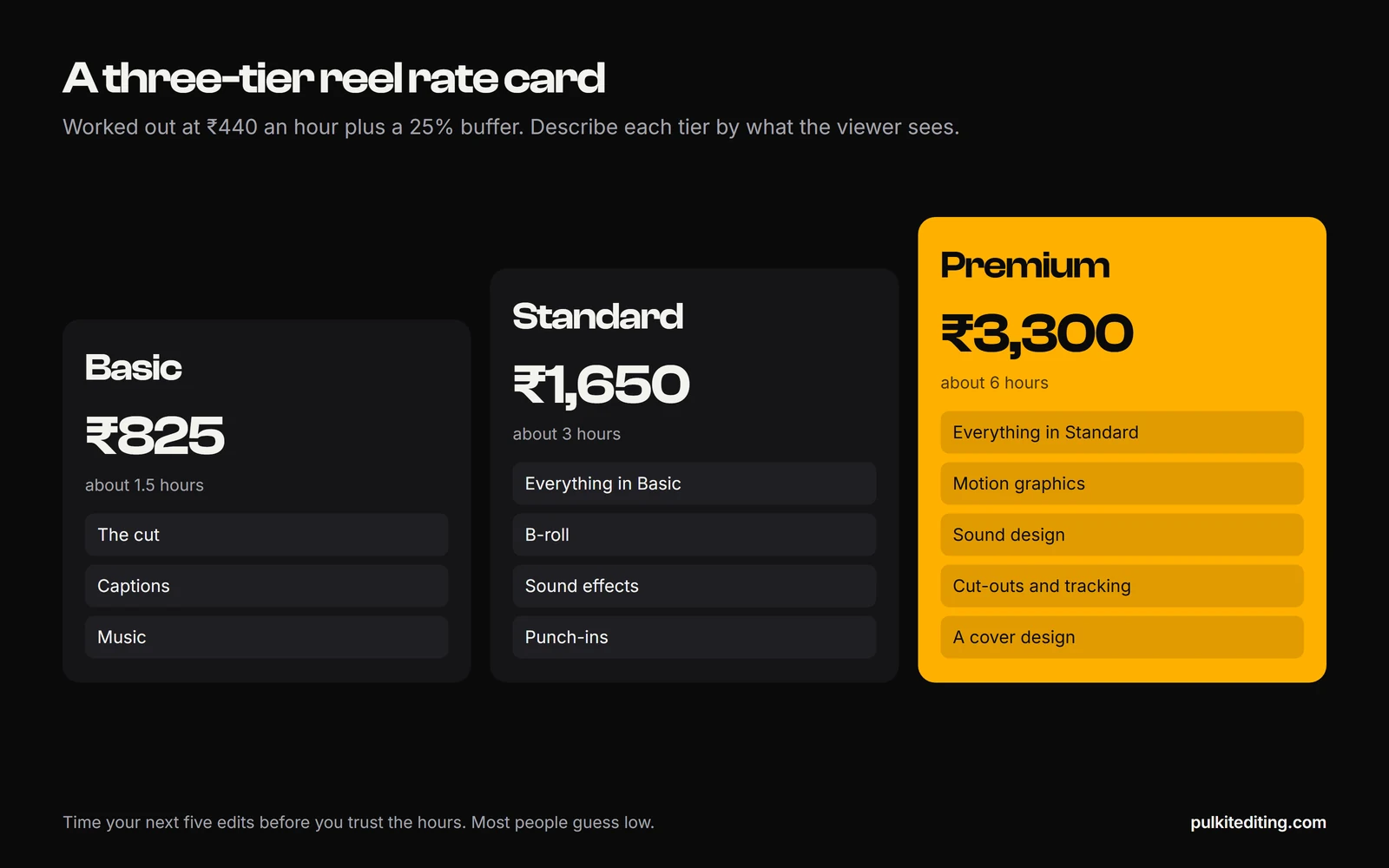
Clients understand tiers faster than hours. Describe each tier by what the viewer sees, and work out the price from the hours it takes you:
| Tier | What's included | Hours (example) | Price at ₹440 an hour + 25% |
|---|---|---|---|
| Basic | The cut, captions, music | 1.5 | about ₹825 |
| Standard | Basic plus B-roll, sound effects, punch-ins | 3 | about ₹1,650 |
| Premium | Standard plus motion graphics and sound design | 6 | about ₹3,300 |
Time yourself on your next five edits before you trust the hours. Most people guess low.
Write down what the price includes
- The number of revision rounds. Two is what my own plans include.
- Turnaround: how many working days from receiving the footage.
- Formats: 9:16 only, or also 1:1 and 16:9 versions.
- Music and stock footage: who pays for licences.
- Project files: whether the editable project is handed over.
- Rush jobs: what a delivery in 24 hours costs extra.
Most arguments with clients are about something that was never written down. The ten lines I'd expect on a quote are in the client-side guide.
When and how to raise your rates
- New clients get the new price first. Existing clients get a month's notice, in writing, with the date it starts.
- Raise when you're booked most weeks, or when the work itself has improved: motion graphics, sound design, faster turnaround.
- Raise in steps, and say what has changed. "From January my standard reel is ₹X; it now includes sound design" lands better than an unexplained jump.
If your floor comes out above what clients in your niche pay, don't work below it. Get faster with templates and presets, or move to clients who value the work more. Finding those first clients is the subject of how to get your first video editing client.
Questions people ask
How much should a beginner video editor charge in India?
Work it out from your own numbers: what you need each month, divided by the hours you can bill, times the hours a video takes you. With ₹40,000 take-home, ₹4,000 of costs and 3 hours a reel, that comes to about ₹1,650 a reel including a buffer for slow months.
Should I charge per minute or per video?
Per video for reels, ads and short-form, because a 30-second reel with motion graphics can take longer than many minutes of plain cuts. Per finished minute only suits long videos with simple editing.
How much do video editors earn in India?
Indeed India puts the average salary of an employed video editor at ₹18,694 a month (May 2026). Freelance income is your rate multiplied by the hours you bill, so it varies far more.
Should I add GST to my price?
Only if you are registered for GST, which becomes compulsory for service businesses above ₹20 lakh of turnover a year in most states. If you are registered, add 18% on top of your price.
How do I tell clients my rates are going up?
In writing, at least a month ahead, with the date the new rate starts and what has improved. New clients get the new price straight away.